Why Name Tags Matter More in Automated Customer Experience
Help customers find the people behind your service, even when technology handles the transaction.
You scan your last item at self-checkout, and an error message stops the transaction. You arrive to collect a mobile order, but your bag isn’t on the shelf. You use a hotel’s check-in screen, only to discover you need help with your reservation.
Technology can make everyday transactions convenient. But when a question or problem comes up, customers still need someone who can help. Finding that person should be easy.
Employee name tags provide a simple connection between self-service tools and personal assistance. They help customers recognize staff, start conversations, and get support without wondering who to approach.
Automated Service Still Needs Available Employees
Self-checkout stations, ordering kiosks, and mobile apps give customers more ways to complete a transaction. Some people appreciate moving at their own pace or placing an order before they arrive.
However, even a straightforward process can leave someone with a question. A payment may fail. An item may scan at the wrong price. A customer may need to discuss an allergy before ordering food.
These moments call for an employee who can listen, explain, and take the next step. If customers can’t identify that employee, a small inconvenience can become a frustrating search for assistance.
A visible name badge gives customers a useful starting point. It signals that the person nearby is part of the team and someone they can approach.
Name Tags Help Customers Find Someone Who Can Help
Employees don’t always stand behind a counter. They may be restocking shelves, checking pickup orders, or moving between service areas. In businesses with casual uniforms, staff can easily blend into the crowd.
Professional name badges help distinguish employees from customers. A consistent design with a recognizable logo can make identification easier across the business.
A short role label can add useful direction. “Customer Service,” “Order Pickup,” or “Guest Services” tells someone where an employee’s responsibilities fit.
Keep the labels simple. An internal title that means something to your management team may mean very little to a first-time visitor.
Name tags work best alongside clear signs and attentive employees. Together, they help customers understand where to go and who can assist them.
A Name Makes an Automated Experience More Personal
A screen can display instructions, but it doesn’t introduce the person helping you. A name badge does.
Seeing “Jordan” gives a customer a natural way to begin: “Jordan, could you help me with this?” That small introduction can make asking for assistance feel more comfortable.
Names also make follow-up conversations easier. A customer can explain who previously helped them, or mention an employee by name when sharing positive feedback.
A name badge alone won’t create trust or fix a service problem. It’s the employee’s response that matters most. Still, clear identification supports a professional, welcoming interaction by giving the customer a name to connect with the help they receive.
Where Employee Name Tags Make a Practical Difference
Retail Stores and Self-Checkout Areas
At self-checkout, customers may need help with a coupon, price discrepancy, or payment issue. An employee overseeing several stations should be easy to recognize.
Readable name badges also help shoppers identify staff on the sales floor. Someone searching for a product shouldn’t have to walk back to the checkout simply to find an employee.
Restaurants and Mobile Order Pickup
Pickup shelves can be convenient until an order is missing, incomplete, or labeled incorrectly. Customers then need to find someone who can check what happened.
A visible name tag helps identify restaurant staff, while a useful role label can point customers to the employee handling pickup questions. Badges should remain visible above aprons or other uniform layers.
Hotels and Self-Service Check-In
Guests using a check-in kiosk may still need directions, help with booking, or information about their room.
Consistent name badges help guests recognize reception and guest services staff as they move around the lobby. Names and clear job titles provide a friendly introduction before the conversation begins.
Design Name Badges for Quick Recognition
A customer looking for help shouldn’t need to study a badge to understand it. Prioritize the employee’s name, then include your business logo and a short title if needed.
Choose readable fonts and strong contrast between the text and background. Leave room around each element, and check how longer names fit before approving the design.
Avoid filling the badge with slogans, extra graphics, or QR codes that compete with the name. Other signs and materials can carry detailed information.
Consider the uniform, too. The badge should sit securely where customers can see it, without being covered by apron straps, jacket lapels, or hair. Choose an attachment that suits the clothing and workplace requirements.
Pair Visible Name Tags With Approachable Service
Visible identification is most useful when employees are ready to respond. Include badge placement and customer introductions in staff training.
A simple greeting can make the handover from technology to personal service feel natural: “Hi, I’m Alex. Can I help you with your pickup order?”
Encourage employees to notice customers who appear confused or are repeatedly trying the same step. Offering assistance can save someone from having to search for help.
When employees introduce themselves and wear readable badges, customers have two clear invitations to start a conversation.
Keep Personal Service Visible With Name Tag Pros
Convenient technology and friendly employees can work together. While screens and apps handle parts of the transaction, your team can answer questions and help customers move forward.
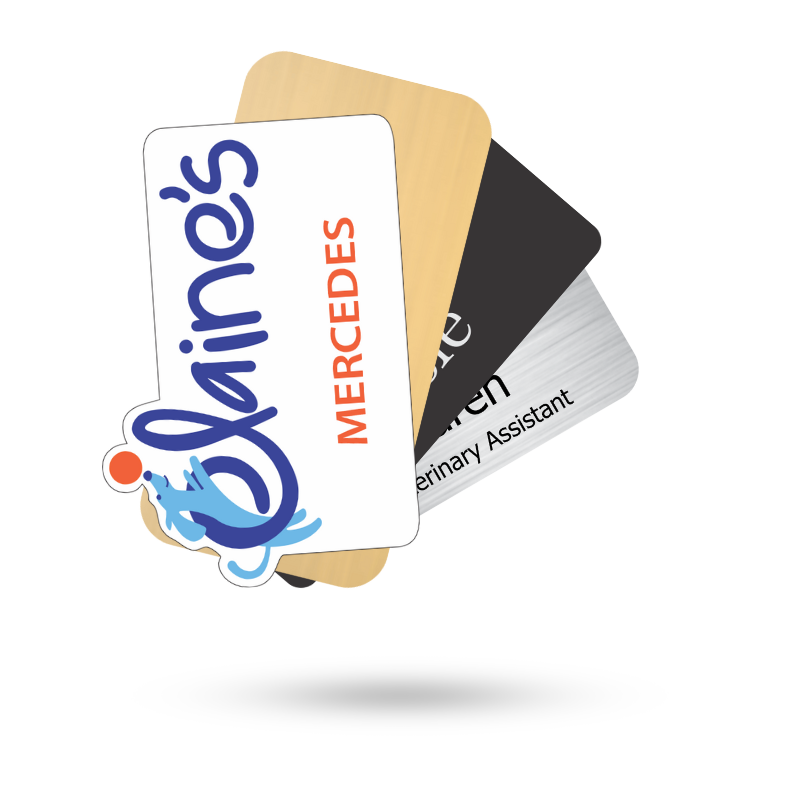
Custom employee name tags from Name Tag Pros make that team easier to recognize. Choose a clear, consistent design that fits your brand and gives customers a simple way to find the people behind your service.
Share Article
Categories
View Recent Blog Posts