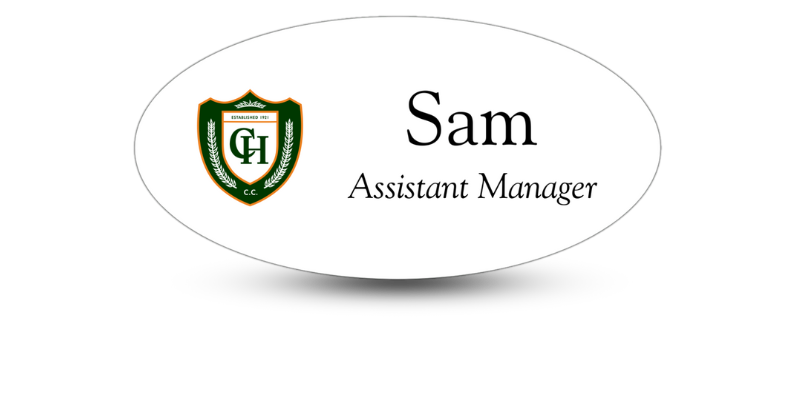
Can Customers Read Your Name Badges? Try the 3-Second Test
Use this simple test to see whether your employee name tags are clear, readable, and ready for the workplace.

A name badge can match your brand perfectly and still fail at its most basic job. If customers cannot read the employee’s name quickly and comfortably, the design is not working.
Small lettering, poor color contrast, glare, and crowded layouts can all turn a professional name tag into a guessing game. The good news is that businesses can catch many of these problems with one simple exercise: the three-second readability test.
What Is the 3-Second Name Badge Test?
The three-second test asks whether someone can identify the most important information on a name badge within three seconds from a natural conversational distance.
To try it, have an employee wear a sample badge in the same way it will be worn at work. Stand at the distance a customer would normally keep during an interaction. Look at the badge for three seconds, then look away.
- Can you answer these questions?
- What is the employee’s name?
- What company or organization do they represent?
- What is their role, if that information matters?
If you have to step closer, squint, or study the layout, the badge needs work.
Why Does Name Badge Readability Matter?
Readable name badges make introductions easier. They help customers address employees by name, identify the right person for assistance, and feel more comfortable starting a conversation.
Clear badges are especially important in environments where visitors may already feel uncertain or rushed, including:
- Medical offices
- Senior living communities
- Hotels and restaurants
- Retail stores
- Banks and professional offices
- Schools and childcare centers
- Conferences and trade shows
An unreadable badge can create an awkward interaction. The customer may avoid using the employee’s name, misread it, or move closer than either person finds comfortable.
Give the Employee’s Name First Priority
The employee’s name is usually the most important element on a name tag, so it should receive the strongest visual emphasis.
It should generally be larger or bolder than the job title and other supporting text. Avoid making the logo so large that the employee’s name becomes secondary. Branding matters, but a name badge is different from a miniature advertisement.
A simple hierarchy often works best:
- Employee name
- Company logo or name
- Job title or department
The order may change in settings where the person’s role is essential. In a hospital, for example, patients may need to quickly distinguish a nurse from a physician, technician, or volunteer. In that case, both the name and role should be prominent.
Choose a Font That Works at a Distance
Decorative lettering may look appealing on a computer screen, but it often becomes difficult to read on a small badge.
Clean sans-serif fonts are usually the safest choice. Their simple letter shapes remain clear at smaller sizes and from greater distances.
Avoid using:
- Script or handwritten fonts
- Very thin lettering
- Narrow or condensed fonts
- All capital letters for long names
- Highly decorative typefaces
- Several different fonts on one badge
The ideal text size depends on the badge dimensions, font, viewing distance, and amount of information. Instead of relying on a single measurement, print the design at its actual size and test it on a person.
Use Strong Color Contrast
Good contrast allows the name to stand apart from the background. Dark text on a light background or light text on a dark background usually produces the clearest result.
Problems often appear when designers use:
- Light grey text on white
- Dark blue text on black
- Bright red text on a dark background
- Text placed over a detailed photograph
- Two colours with similar brightness
- A patterned background behind the name
Brand colors do not have to be abandoned. They can appear in the logo, border, accent stripe, or background while the employee’s name sits in a high-contrast area.
Remember that colors may look different on a printed or engraved badge than they do on a monitor. Reviewing a physical sample is the best way to assess the finished contrast.
Keep the Layout Uncluttered
A name badge has limited space. Adding too many details forces every element to become smaller.
Before including another line, ask whether it helps the customer or employee during a real interaction. Information that may not belong on the front includes:
- Long credentials that are not relevant to customers
- Multiple phone numbers
- Street addresses
- Lengthy slogans
- Large QR codes
- Social media handles
- Several logos
Some information can be shortened. “Customer Service Department,” for example, may become “Customer Service.” Other details might fit better on the back of the badge, a business card, or nearby signage.
Consider Longer Names Before Finalizing the Design
A layout that works for “Amy” may not work for “Christopher” or “Alexandria.” Before approving a template, test it with the shortest and longest names on your employee list.
Try to avoid shrinking one employee’s name dramatically just to make it fit. Small adjustments to spacing, font weight, or badge dimensions can preserve readability while keeping the set consistent.
Also check punctuation, prefixes, credentials, and preferred names. Accuracy is part of readability. A perfectly clear misspelling is still a poor result.
Name Badge Readability Checklist
Before approving your next order, confirm that:
- The employee’s name is the most noticeable text
- The lettering is large enough for the setting
- The font is clean and easy to recognize
- The name contrasts strongly with the background
- The logo does not compete with the name
- Job titles are short and clear
- The surface remains readable under workplace lighting
- The badge sits flat and faces forward
- Long names remain easy to read
A Better Badge Creates an Easier Introduction
Customers should be able to read a name badge without effort, embarrassment, or an invasion of personal space. The three-second test gives businesses a quick way to catch design problems before they repeat across an entire order.
If your current badges do not pass the test, a few thoughtful changes to the font, contrast, layout, or size can make a major difference. Name Tag Pros can help you create custom name badges that support your brand while keeping employee names clear and easy to recognize.
Frequently Asked Questions
What font is easiest to read on a name badge?
A clean sans-serif font is usually easiest to read. Choose lettering with simple, distinct shapes and enough weight to remain visible from a natural conversational distance. Avoid script, decorative, condensed, and ultra-thin fonts.
What information should be largest on a name badge?
The employee’s name should usually be the largest or boldest information. In healthcare, education, or large events, the employee’s role or department may also need strong emphasis.
What color combination is best for a name tag?
High-contrast combinations work best, such as black or navy text on white, or white text on a dark background. Similar colors and detailed backgrounds can make names difficult to distinguish.
Order Employee Name Tags Today!
Order professional employee name badges today! Name Tag Pros is here to help you get the perfect name badge for your business and brand.
Share Article
Categories
View Recent Blog Posts